motherAi WORKSPACE
MotherAI Workspace

Put a specialist agent to work with sensitive data.

A pre-trained specialist agent reviews the documents it can access, flags exceptions and drafts the next step. Your team decides what goes forward.
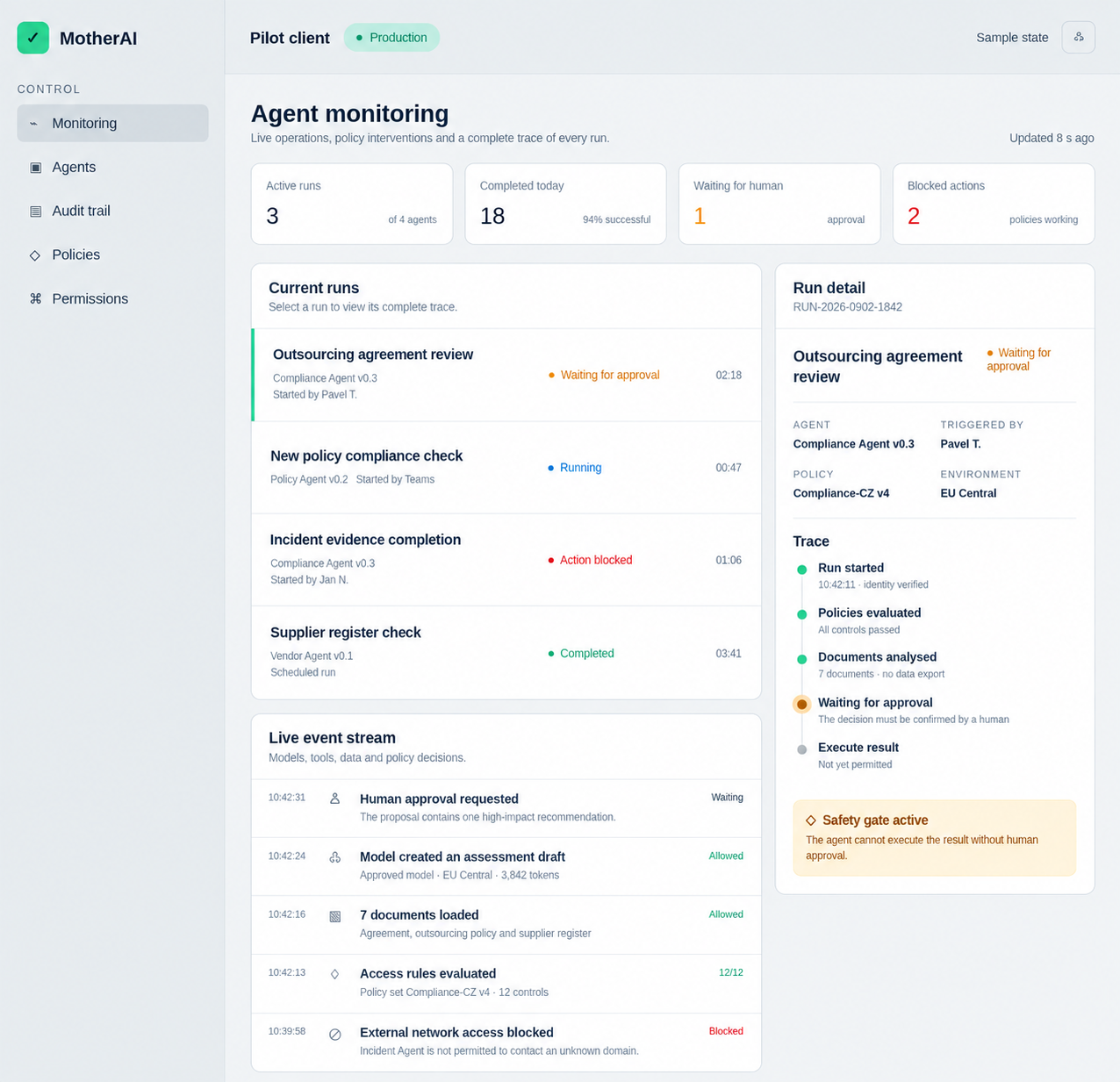
MotherAI Workspace

Delegate the prep work on sensitive cases.

The agent reviews approved materials and flags exceptions. Specialists gain time for decisions, while the team manages three risks.

Data exposure

The team specifies which client file the agent can access and where it may process the data.

Unintended actions

Unauthorised steps are blocked. Sending a message or writing to a system can require human approval.

Regulatory scrutiny and potential penalties

Records of sources, actions and approvals help the team demonstrate how it applied its rules when using AI.

How the agent learns from team feedback

A pilot example. A team moves an internal policy into a new Word template and checks that the document structure is preserved.

First case

The agent follows an existing procedure to draft the document in the target template. The team reviews the structure, bullets and formatting.

Feedback

Approved edits become rules for what goes in the table, what stays in bullets and how the finished Word file should look. The team approves and saves the procedure.

Next case

The agent reuses the saved procedure. The team measures whether it takes fewer corrections and less review time.

Workflow

Why MotherAI?

A specialised agent starts with a procedure for the job. Your team sets its boundaries and can verify its work.

Security

Choose which data the agent can use, where it is processed and which actions need human approval.

Compliance

During a review, show the sources, agent actions and approvals recorded for the workflow.

Self-learning

The agent can save an approved correction to its procedure and apply it on the next case. The team can give that instruction once.

What lands on the specialist’s desk?

Choose a task that keeps coming back. Agree what a usable result looks like before running the first case.

Wealth management

An adviser gets open items from the previous meeting and the records to check before the next one.

Legal teams

A lawyer gets deviations from the contract standard, each linked to the relevant clause.

Accounting, audit and advisory

An engagement lead gets a list of missing evidence against the agreed checklist.

Compliance, risk and outsourced MLROs

A policy owner gets a list of requirements the internal policy leaves uncovered.

Fintechs and payment institutions

An onboarding analyst gets a list of documents missing from the client file.

Banks

An internal reviewer gets a supporting document or an evidence gap for each control.

Internal operations

A buyer gets the differences between a purchase order and the supplier’s quote before approval.

A prebuilt specialist agent in your team plan.

For 15 people, the MotherAI monthly plan costs €35 less than 15 Microsoft 365 Copilot Business licences at the advertised starting price.

AreaMotherAI WorkspaceMicrosoft 365 Copilot
At launchA pre-trained agent for a specific specialist task.An assistant in Microsoft 365 apps, an agent catalogue and custom agent tools.
Next caseThe agent applies team-approved corrections to the next review.Procedures and rules depend on the agent configuration.
Plan for 15 people€199 / month per team · StarterFrom €234 / month · 15 × €15.60 billed annually
Monthly plans exclude VAT. MotherAI setup and model usage are billed separately. Copilot Business requires an eligible Microsoft 365 subscription.

What evidence can you provide during an internal audit or regulatory inspection?

In the demo, we follow one of your workflows and check what evidence you can produce.

GDPR · personal data

Who can access the file, where does the data go during processing and how long are records kept?

EU AI Act · human oversight

Which step does a person review? How can you trace their decision for a particular case?

DORA · ICT services

If DORA applies to your organisation, which services and providers does this workflow rely on?

See MotherAI work through your case.

Bring an anonymised example from your team. See what the agent prepares, what your specialist reviews and how an approved correction carries over to the next case.

Book a demo